
If you rely on Google Ads to drive revenue, your biggest hidden expense is signal loss. Browsers with aggressive tracking prevention, ubiquitous ad blockers, and shortened cookie lifespans are silently dropping a massive percentage of your conversion data before it ever reaches your reporting dashboard.
To combat this, the latest Google Tag Manager update heavily pushes advertisers toward a new feature: Google Tag Gateway.
Following the major June 2026 release that integrated Amazon CloudFront natively into the platform, Google Tag Gateway is now highly accessible to thousands of brands. But as tagging experts test this feature in the wild, its performance is slightly more nuanced than Google's initial marketing claims.
Here is exactly how the new Tag Gateway update works, the reality of the Amazon CloudFront integration, and when you should skip it for a full Server-Side GTM architecture instead.
How Google Tag Gateway Works
Standard Google Tag Manager setups rely entirely on the user's browser sending data directly to Google's servers. Because this relies on third-party domains (like google-analytics.com), ad blockers and strict privacy browsers intercept and terminate the connection instantly.
Google Tag Gateway solves this by routing your measurement data through your own Content Delivery Network (CDN).
Because your CDN shares your primary domain, the browser views the tracking request as a safe, first-party connection. Your CDN then securely relays that exact same data payload to Google's servers on the backend. This allows cookies to retain their full lifespan and significantly reduces the chance of network requests being blocked automatically by domain reputation.
The June Amazon CloudFront Update
Historically, setting up a proxy for analytics traffic required heavy developer intervention. Configuring servers, routing traffic, and matching cloud environments often felt like translating two completely different languages.
In early June, Google dropped a major update to solve this: a brilliantly guided workflow for advertisers using Amazon CloudFront CDN.
Instead of leaving you to struggle through manual cloud architecture configurations alone, this GTM update introduced a native setup right inside Tag Assistant. This workflow walks you step-by-step through the external Amazon Web Services (AWS) console to perform the necessary configurations seamlessly.
Loading tracking scripts directly through your own Amazon CloudFront CDN keeps your site lightning-fast by avoiding heavy browser-side script bloat, all without requiring you to be a senior AWS engineer to wire it up.
The Reality Check: Uplift and Limitations
While the recent Google Tag Gateway updates make first-party routing highly accessible, it is not a silver bullet. Leading tracking experts, including Julius Fedorovicius from Analytics Mania, have spent the last year testing the gateway in production environments and noted several important limitations.
The 5% Uplift Reality
Google's official documentation claims that advertisers configuring Tag Gateway see an 11% average uplift in signals. However, independent tagging professionals consistently report a much more conservative 5% to 7% uplift. While this is still a highly valuable "quick win" for data accuracy, it falls short of total signal recovery.
Ad Blockers Can Still See Parameters
The primary flaw of Google Tag Gateway is that it does not hide the payload. While the request goes to your first-party domain, the URL string still contains obvious tracking parameters (like your Measurement ID and event names).
Advanced ad blockers and browser extensions can easily read these parameters and block the first-party request anyway. Furthermore, in certain European regions with strict compliance routing, the gateway may still occasionally fall back to using Google's own domains.
The Internal Traffic Bug
A known issue currently plaguing Tag Gateway adopters is the failure of internal traffic filters. Many users have reported that after enabling the gateway, their Google Analytics 4 IP address exclusions completely stop working. If you rely heavily on filtering out employee traffic to keep your conversion rates accurate, this is a significant bug to monitor.
Google Tag Gateway vs. Server-Side GTM
Because of these limitations, advertisers must choose between the "low-hanging fruit" of the new Tag Gateway updates or the robust power of Server-Side Google Tag Manager (sGTM). They are distinct tools designed for different scopes of work.
When to Use Google Tag Gateway
You should use Google Tag Gateway if you strictly use Google's marketing tools (GA4 and Google Ads), have minimal technical skills on your team, and want a quick win. It is free to use with your existing CDN and requires zero monthly server hosting costs.
When to Use Server-Side GTM
Server-Side GTM is a complete tag management ecosystem hosted on a cloud server. It is quickly becoming a mandatory requirement for serious advertisers in 2026. You should upgrade to sGTM if:
- You run Meta Ads: sGTM allows you to route data to any third-party vendor, not just Google.
- You want to evade ad blockers: sGTM allows you to strip out recognizable tracking parameters before the request leaves the browser, making it incredibly difficult for ad blockers to intercept.
- You need data enrichment: sGTM allows you to fetch offline data from your CRM (like profit margins or lead scores) and attach it to the server request before sending it to Google Ads. This dramatically improves algorithmic bidding and lowers customer acquisition costs.
While Server-Side GTM requires technical expertise to deploy and incurs monthly cloud hosting fees, the resulting drop in acquisition costs often pays for the server within the first week.
Verifying Your Data Routing in GA4
Whether you choose the quick win of the latest Tag Gateway update or the total control of Server-Side GTM, you must rigorously verify that your data is flowing cleanly into Google Analytics 4. A successful GTM publish means nothing if the data lands broken or duplicated in your reports.
For implementation-level debugging, the free GA4 Live Debugger extension automatically detects whether your hits are routed through a first-party Server-Side GTM endpoint, a Google Tag Gateway CDN, or standard client-side collection. Each hit is tagged with a 1P badge and a Proxy indicator so you can instantly confirm your gateway is active and routing correctly—without digging through Network tab requests manually.
Once your routing is confirmed at the network level, use the free GA4 Optimizer Chrome extension to verify the data inside your reports.
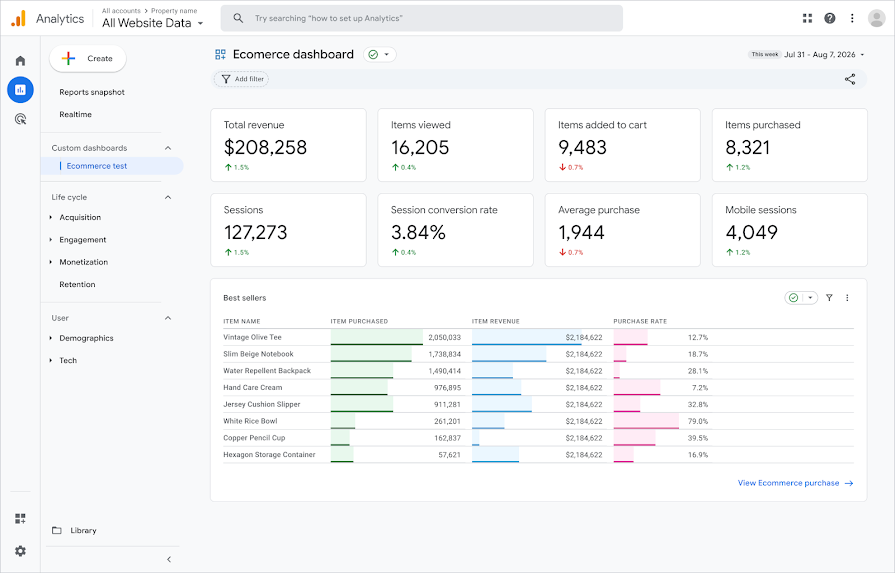
The extension brings Universal Analytics-style Advanced Table Filters back to GA4, allowing you to instantly isolate specific conversion events and verify your new data volume. It also bypasses UI limitations, letting you expand your reports to 500 rows so you can QA your traffic sources without endless pagination.
Frequently Asked Questions
What is Google Tag Gateway in GTM?
Google Tag Gateway is a feature that allows advertisers to route their website's measurement data through a first-party Content Delivery Network (CDN) before it is sent to Google. This helps bypass tracking restrictions and improves data signal quality.
Does Google Tag Gateway bypass ad blockers?
Not completely. While Google Tag Gateway uses a first-party domain, advanced ad blockers can still read the request parameters (like the tracking ID and event name) and block the request. For true ad blocker evasion, Server-Side GTM is required.
Does Google Tag Gateway replace Server-Side GTM?
No. Google Tag Gateway is a streamlined quick-win strictly for routing Google-specific data through your CDN. Server-Side GTM (sGTM) is a complete tag management environment that allows you to hide parameters, enrich data with CRM inputs, and route data to any third-party vendor like Meta.